

Features
Checkpoint Forking
Learn how to fork training from existing model checkpoints
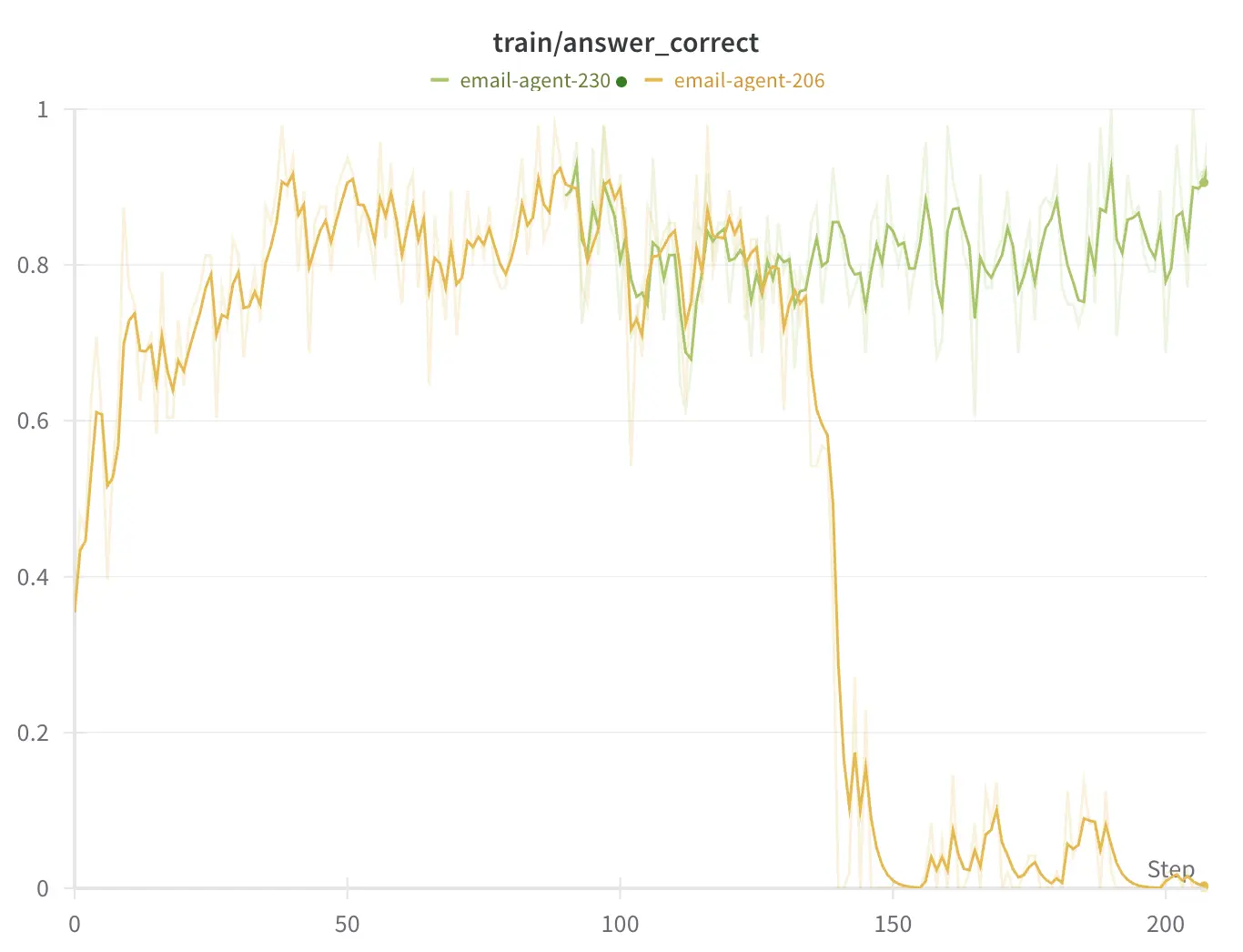
Checkpoint forking allows you to create a new training run that starts from an existing model’s checkpoint. This is particularly useful when:
- Training has gone off track and you want to restart from a known good checkpoint
- You want to experiment with different hyperparameters from a specific point
- You need to branch off multiple experiments from the same checkpoint
Basic Usage
Section titled “Basic Usage”The simplest way to fork a checkpoint is to specify it when creating your model:
import artfrom art.local import LocalBackend
async def train():    async with LocalBackend() as backend:        # Create a new model that will fork from an existing checkpoint        model = art.TrainableModel(            name="my-model-v2",            project="my-project",            base_model="OpenPipe/Qwen3-14B-Instruct",        )
        # Copy the checkpoint from another model        await backend._experimental_fork_checkpoint(            model,            from_model="my-model-v1",            not_after_step=500,  # Use checkpoint at or before step 500            verbose=True,        )
        # Register and continue training        await model.register(backend)        # ... rest of training code
Forking from S3
Section titled “Forking from S3”If your checkpoints are stored in S3, you can fork directly from there:
await backend._experimental_fork_checkpoint( model, from_model="my-model-v1", from_s3_bucket="my-backup-bucket", not_after_step=500, verbose=True,)Parameters
Section titled “Parameters”from_model (required)
Section titled “from_model (required)”The name of the model to fork from.
from_project (optional)
Section titled “from_project (optional)”The project containing the model to fork from. Defaults to the current model’s project.
from_s3_bucket (optional)
Section titled “from_s3_bucket (optional)”S3 bucket to pull the checkpoint from. If not provided, will look for the checkpoint locally.
not_after_step (optional)
Section titled “not_after_step (optional)”The maximum step number to use. The function will use the latest checkpoint that is less than or equal to this step. If not provided, uses the latest available checkpoint.
verbose (optional)
Section titled “verbose (optional)”Whether to print detailed progress information during the forking process.
How It Works
Section titled “How It Works”- Checkpoint Selection: The system finds the appropriate checkpoint based on your
not_after_stepparameter - S3 Pull (if needed): If forking from S3, only the specific checkpoint is downloaded, not the entire model history
- Checkpoint Copy: The checkpoint is copied to your new model’s directory at the same step number
- Training Continuation: Your model can now continue training from this checkpoint
Example: Lowering the Learning Rate
Section titled “Example: Lowering the Learning Rate”Here’s a practical example of using checkpoint forking to test a lower learning rate:
# Original model trained with lr=1e-5base_model = art.TrainableModel(    name="summarizer-base",    project="experiments",    base_model="OpenPipe/Qwen3-14B-Instruct",)
# Fork at step 1000 to try lower learning ratelow_lr_model = art.TrainableModel(    name="summarizer-low-lr",    project="experiments",    base_model="OpenPipe/Qwen3-14B-Instruct",)
async def experiment():    async with LocalBackend() as backend:        # Fork the model from the base model        await backend._experimental_fork_checkpoint(            low_lr_model,            from_model="summarizer-base",            not_after_step=1000,            verbose=True,        )        await model.register(backend)
# Now train with a lower learning rate # ... training code with different configs- Checkpoints are forked at the same step number they had in the source model
- The
not_after_stepparameter uses<=comparison, so specifying 500 will include step 500 if it exists - Only checkpoint files are copied - training logs and trajectories are not included in the fork